 Maloomati
Thinking about leaving Instagram? Whether you want to permanently delete your Instagram account or just take a temporary break, this guide walks you through every method — on iPhone, Android, and desktop — with the exact steps for the updated Meta Accounts Center interface used in 2026.
Permanent Deletion vs. Temporary Deactivation
- Permanent deletion: Instagram gives you a 30-day grace period. After 30 days, your photos, comments, likes, followers, and profile are permanently erased. This cannot be undone.
- Temporary deactivation: Your profile, photos, and content are hidden until you log back in. Your data is preserved — nothing is deleted.
- Important: Before deleting, download your data archive (photos, messages, stories). Once the 30-day window closes, everything is gone forever.
Table of Contents
- Before You Delete: How to Download Your Instagram Data & Media
- How to Delete Instagram Account on iPhone (iOS App)
- How to Delete Instagram Account on Android
- How to Delete Instagram Account on Computer & Web Browser
- Instagram Deactivation vs. Deletion: Feature Comparison
- Troubleshooting Edge Cases
- Frequently Asked Questions
Before You Delete: How to Download Your Instagram Data & Media
Once you permanently delete your Instagram account, there is no way to recover your photos, reels, DMs, or story archives. Always request a data download before you start the deletion process.
- Open Instagram and go to your Profile → tap the ☰ hamburger menu (top right).
- Tap Accounts Center → Your information and permissions.
- Select Download your information.
- Choose the Instagram account you want to back up.
- Select Complete copy (or pick specific categories like Photos, Stories, Messages).
- Choose format: HTML (easy to browse) or JSON (for developers).
- Tap Create files. Meta will process your request and send a download link to your email within 48 hours.
Tip: The download link expires after 4 days. Save the archive to your computer or cloud storage immediately after receiving it.
How to Delete Instagram Account on iPhone (iOS App)
Follow these steps to permanently delete your Instagram account on iPhone using the latest Meta Accounts Center interface. The same steps apply to iPad.
Step 1: Open Instagram Settings
Open the Instagram app and go to your Profile tab (bottom right). Tap the ☰ hamburger menu in the top-right corner, then tap Accounts Center.
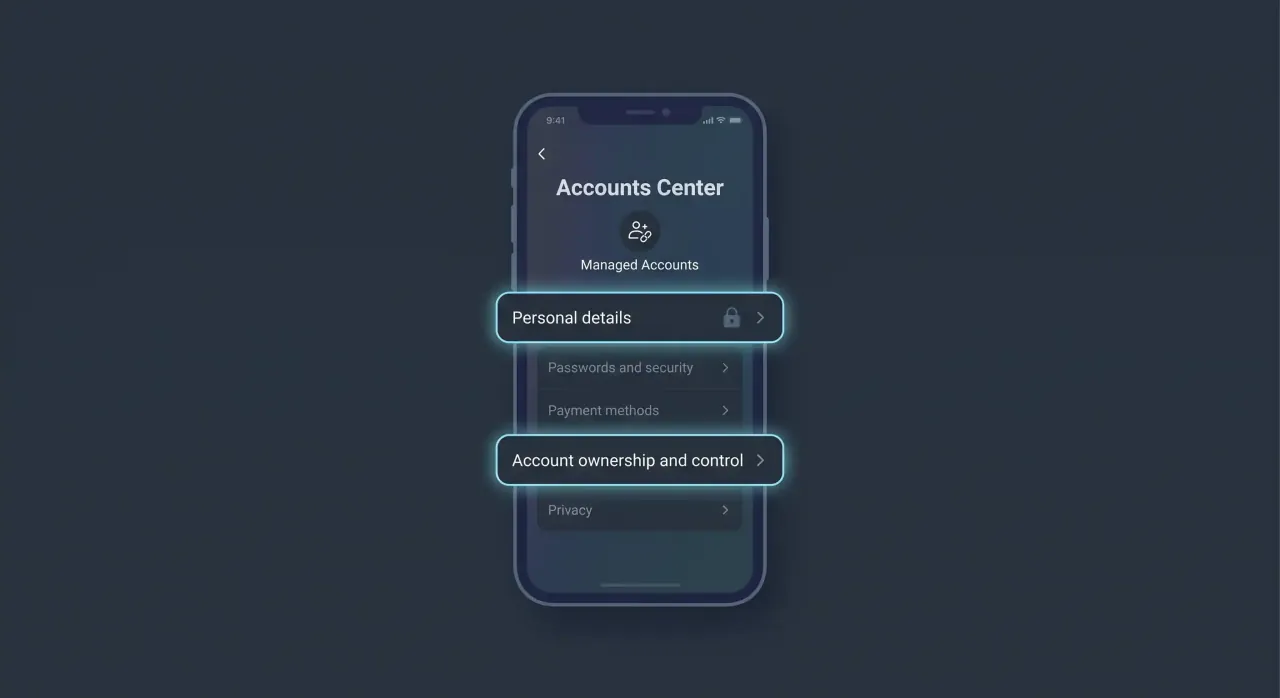
Step 2: Navigate to Personal Details
Inside Accounts Center, tap Personal details. This section manages your identity, contact info, and account ownership settings across all linked Meta accounts.
Step 3: Go to Account Ownership and Control
Tap Account ownership and control. This is where Meta groups all options for transferring, deactivating, or deleting any linked account (Instagram, Facebook, or Threads).
Step 4: Select Deactivation or Deletion
Tap Deactivation or deletion. You will see a list of all Meta accounts linked to your Accounts Center. Select the Instagram account you want to delete.
Step 5: Choose “Delete Account” and Confirm
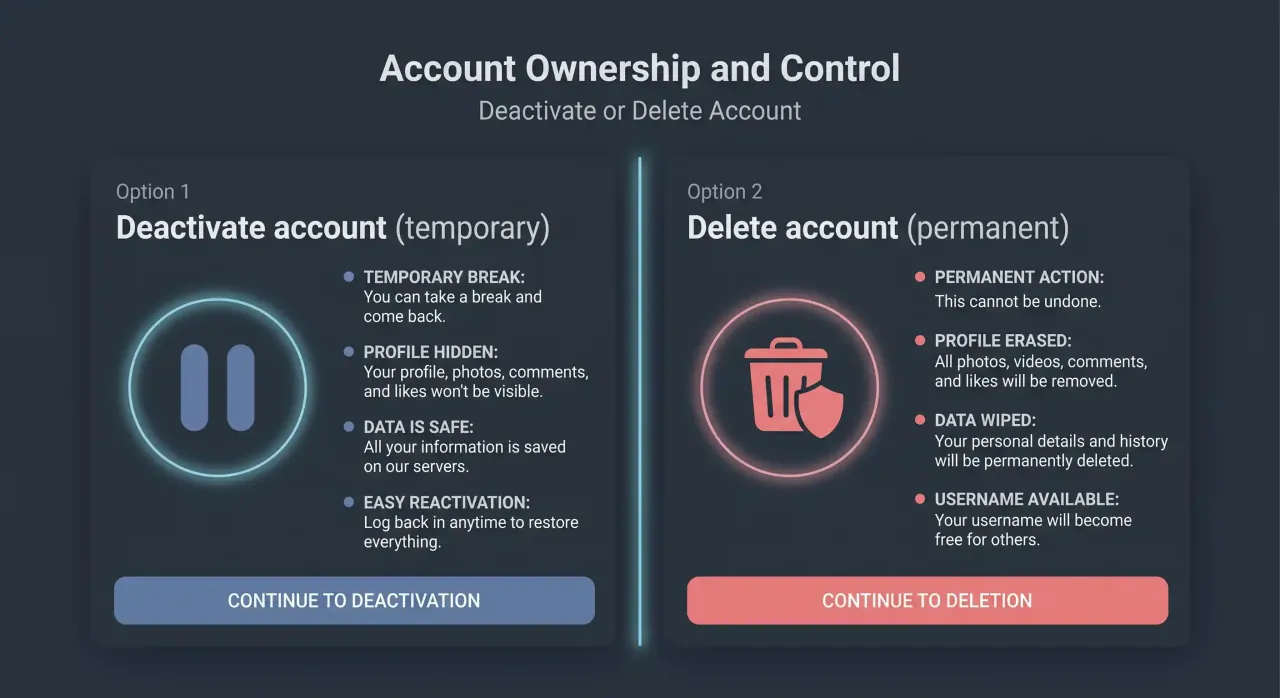
Select Delete account (not “Deactivate account”). Instagram will show you what will be permanently removed — your profile, photos, videos, comments, likes, and followers. Tap Continue, enter your password, and confirm the deletion.
30-Day Grace Period
After you confirm deletion, your account enters a 30-day deactivation period. During this time, your profile is hidden but not yet erased. If you change your mind, simply log back in within 30 days to cancel the deletion. After 30 days, deletion is permanent and irreversible.
How to Delete Instagram Account on Android (Step-by-Step)
The process to delete your Instagram account on Android permanently is nearly identical to iPhone, since both platforms now use Meta’s unified Accounts Center.
- Open Instagram → tap your Profile picture (bottom right).
- Tap the ☰ hamburger menu (top right) → Accounts Center.
- Tap Personal details → Account ownership and control.
- Tap Deactivation or deletion.
- Select your Instagram account from the list.
- Choose Delete account → tap Continue.
- Enter your password and tap Delete account to confirm.
This works on all Android phones — Samsung, Xiaomi, Oppo, Vivo, OnePlus, Pixel, and others. The 30-day grace period applies the same way as on iPhone.
Note: If you have multiple Instagram accounts, make sure you select the correct one from the Accounts Center list. Deleting one account does not affect others linked to the same Accounts Center.
How to Delete Instagram Account on Computer & Web Browser
You can also delete your Instagram account on a computer using any web browser (Chrome, Firefox, Edge, Safari). There are two methods:
Method 1: Through Instagram Settings (Web)
- Open instagram.com in your browser and log in.
- Click your profile picture (bottom left) → Settings.
- Click Accounts Center in the left sidebar → Personal details.
- Click Account ownership and control → Deactivation or deletion.
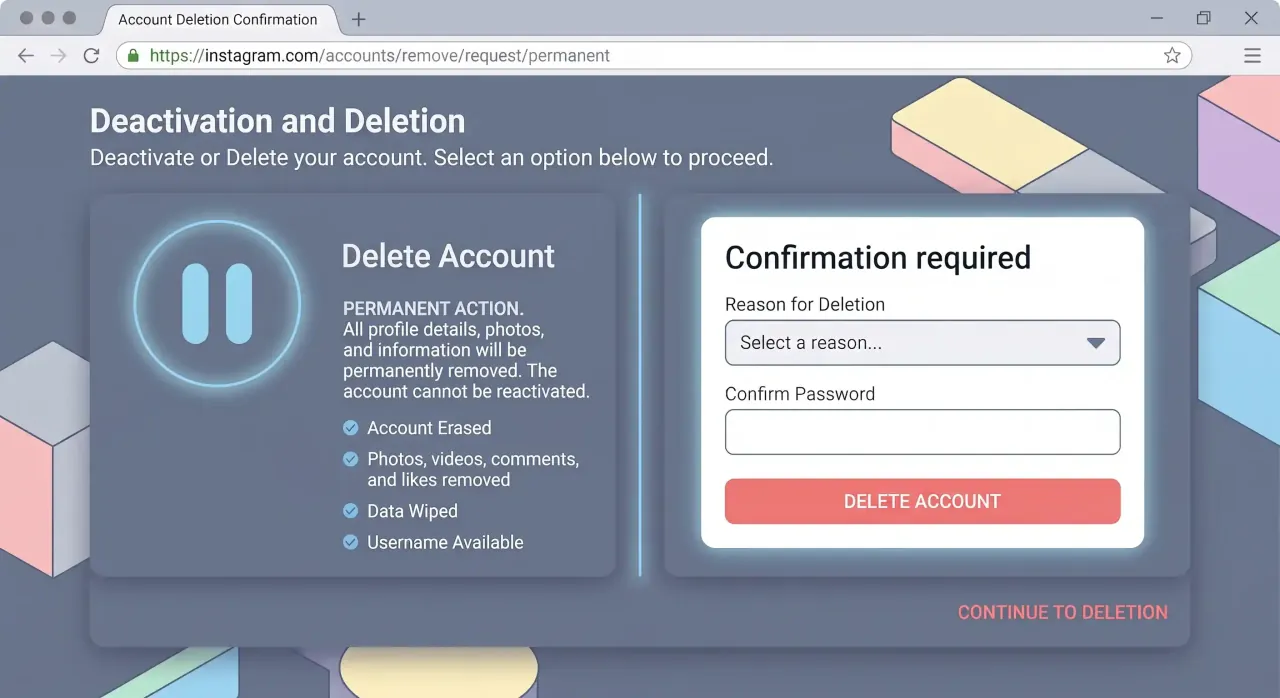
- Select your Instagram account → Delete account → Continue.
- Enter your password and confirm.
Method 2: Direct Deletion URL
Meta also provides a direct deletion page. Go to accountscenter.instagram.com, log in, navigate to Personal details → Account ownership and control → Deactivation or deletion, and follow the same prompts. This is useful when the regular Settings menu is slow to load or unresponsive.
Instagram Deactivation vs. Deletion: Feature Comparison
Not sure whether to deactivate or delete? Here is a side-by-side comparison of what happens with each option:
| Feature | Deactivation (Temporary) | Deletion (Permanent) |
|---|---|---|
| Profile visibility | Hidden from everyone | Removed after 30 days |
| Photos & videos | Preserved (hidden) | Permanently erased |
| DMs & messages | Hidden but intact | Deleted from your side |
| Username | Reserved for you | Released — others can claim it |
| Followers & following | Preserved | Permanently removed |
| Reactivation | Log in anytime to restore | Only within 30-day grace period |
| Data recovery | Full recovery on login | Impossible after 30 days |
Recommendation: If you are uncertain, start with deactivation. You can always upgrade to permanent deletion later. If you are sure you want to leave, delete the account — but download your data first.
Troubleshooting Edge Cases
How to Delete a Forgotten Instagram Account (No Password)
If you cannot remember your password or no longer have access to the email/phone linked to the account:
- Go to the Instagram login screen and tap Forgot password?
- Enter your username, email, or phone number associated with the account.
- Instagram will send a login link or security code to your registered email or phone.
- If you no longer have access to either, tap Can’t reset your password? and follow Meta’s identity verification process (you may need to submit a selfie video).
- Once you regain access, follow the deletion steps in the sections above.
Note: Meta does not allow you to delete an account without first logging into it. There is no form to request deletion of an account you cannot access — you must complete account recovery first.
How to Delete a Linked Facebook/Instagram Business Account
If your Instagram account is linked to a Facebook Page or used as a Business/Creator account:
- Switch to a Personal account first: Go to Instagram Settings → Account → Switch account type → Personal account.
- Unlink from Facebook Page: Go to your Facebook Page Settings → Instagram → Disconnect.
- Now follow the standard deletion process through Accounts Center → Deactivation or deletion.
If you skip these steps, you may see error messages or find the deletion option greyed out. Always unlink business integrations before attempting deletion.
Frequently Asked Questions
Can I delete my Instagram account from the app?
Yes. As of 2026, Instagram allows permanent account deletion directly from both the iPhone and Android apps through Accounts Center → Personal details → Account ownership and control → Deactivation or deletion. You no longer need to use a web browser.
What happens to my DMs if I delete Instagram?
Your side of the conversation is removed, but messages you sent will still appear in the other person’s inbox. They will see your messages attributed to “Instagram User” instead of your username. Group chat messages also remain visible to other participants.
Can I reactivate my deleted Instagram account?
Only during the 30-day grace period. Log in with your username and password within 30 days of requesting deletion, and your account will be fully restored. After 30 days, the deletion is permanent and Meta cannot recover your account under any circumstances.
Will deleting Instagram also delete my Facebook account?
No. Deleting your Instagram account does not affect your Facebook, WhatsApp, or Threads accounts, even if they are linked in the same Accounts Center. Each account must be deleted separately. However, if your Threads profile is tied to your Instagram account, deleting Instagram will also delete your Threads profile.
متعلقہ گائیڈز
سوشل میڈیا اکاؤنٹس اور پرائیویسی سے متعلق یہ گائیڈ بھی پڑھیں:
- واٹس ایپ سے کانٹیکٹ ڈیلیٹ کرنے کا طریقہ — اسٹیپ بائی اسٹیپ گائیڈ تصاویر کے ساتھ
Author: Maloomati
How long does it take to permanently delete an Instagram account?
Instagram hides your account as soon as you request deletion, then permanently erases it after a 30-day grace period. If you do not log back in within those 30 days, the account and all its data are removed for good and cannot be recovered.
Can I deactivate my Instagram account temporarily instead of deleting it?
Yes. Temporary deactivation hides your profile, photos, and comments until you log back in, without erasing anything. Go to Accounts Center → Personal details → Account ownership and control → Deactivation or deletion, then choose Deactivate account instead of Delete. You can reactivate any time by logging in again.
How do I delete my Instagram account without a password?
You need to regain access first. On the login screen, tap Forgot password? and reset it using your linked email or phone number. Once you can log in, follow the deletion steps above — Instagram will not delete an account unless you can verify you own it.
Why can’t I delete my Instagram account?
The usual causes are being logged out, an unverified email or phone number, or trying to delete a professional account still linked to a Facebook Page. Make sure you are logged in, verify your contact details, and unlink any connected Page first, then retry from Accounts Center.
Will deleting Instagram delete my photos and data?
Yes. Permanent deletion erases your photos, reels, videos, DMs, and follower list with no way to restore them. Download a copy from Accounts Center → Your information and permissions before you delete if you want to keep any of it.