 Maloomati
Need to share Jazz balance with a friend or family member? Jazz offers a simple balance share service that lets you transfer mobile credit from your Jazz prepaid number to any other Jazz or Warid prepaid number — instantly, using just a USSD code.
This guide covers the exact Jazz balance share code, step-by-step instructions with images, charges, limits, and everything you need to know — including how to transfer Jazz balance to a JazzCash account.
⚡ Quick Answer: Jazz Balance Share Code
- Code: Dial
*100*ReceiverNumber*Amount#(e.g.,*100*03001234567*50#) - Amount: Rs. 15 to Rs. 500 per transaction
- Charges: Rs. 8.60 (incl. tax) per transfer
- Eligibility: Jazz & Warid prepaid only — no postpaid, dongle, or data SIM
Table of Contents
Quick Answer: Jazz Balance Share Code
| Detail | Information |
|---|---|
| USSD Code | *100*ReceiverNumber*Amount# |
| Example | *100*03001234567*50# |
| Minimum Amount | Rs. 15 |
| Maximum Amount | Rs. 500 per transaction |
| Charges | Rs. 8.60 (incl. tax) per transaction |
| Availability | Jazz & Warid prepaid only |
How to Share Jazz Balance — Step by Step
Follow these 4 simple steps to share balance from your Jazz number to another Jazz or Warid number.
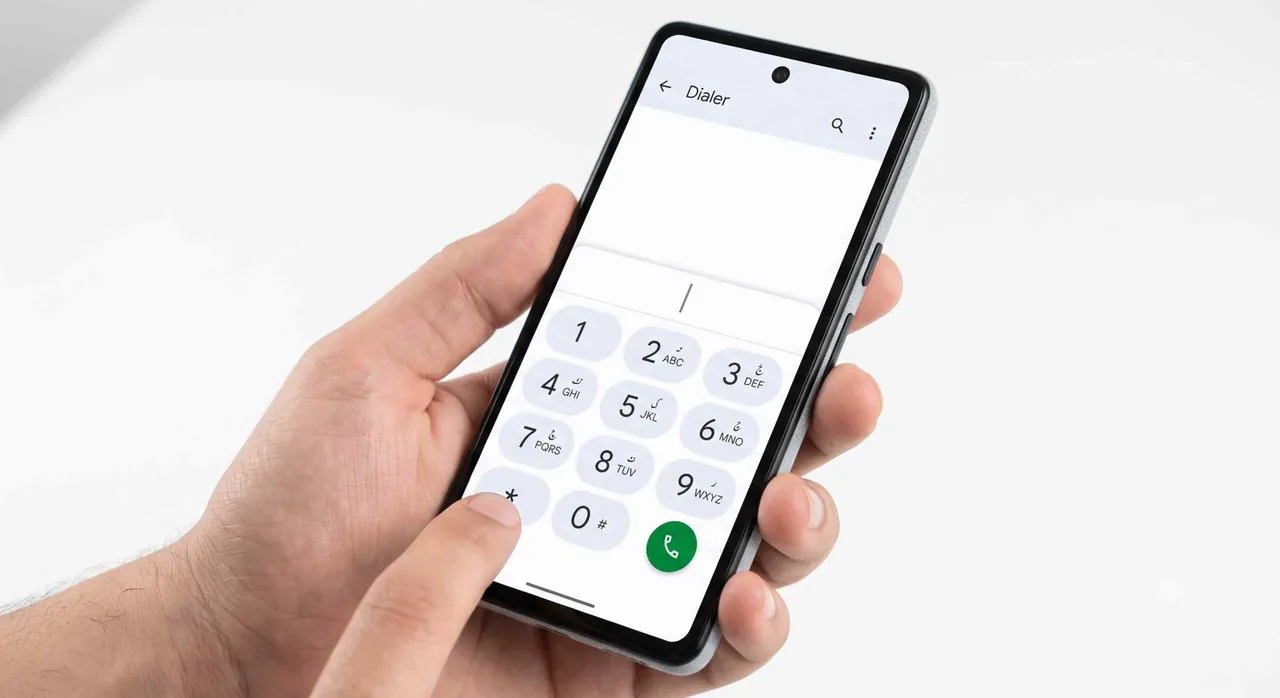
Step 1: Open the Phone Dialer
Open the default dialer app on your Android phone or iPhone. Make sure your Jazz SIM is active and has enough balance to cover the amount you want to share plus the Rs. 8.60 service charge.
Tip: Check your current balance first by dialing *111# to make sure you have enough credit.
Step 2: Dial the Jazz Balance Share Code
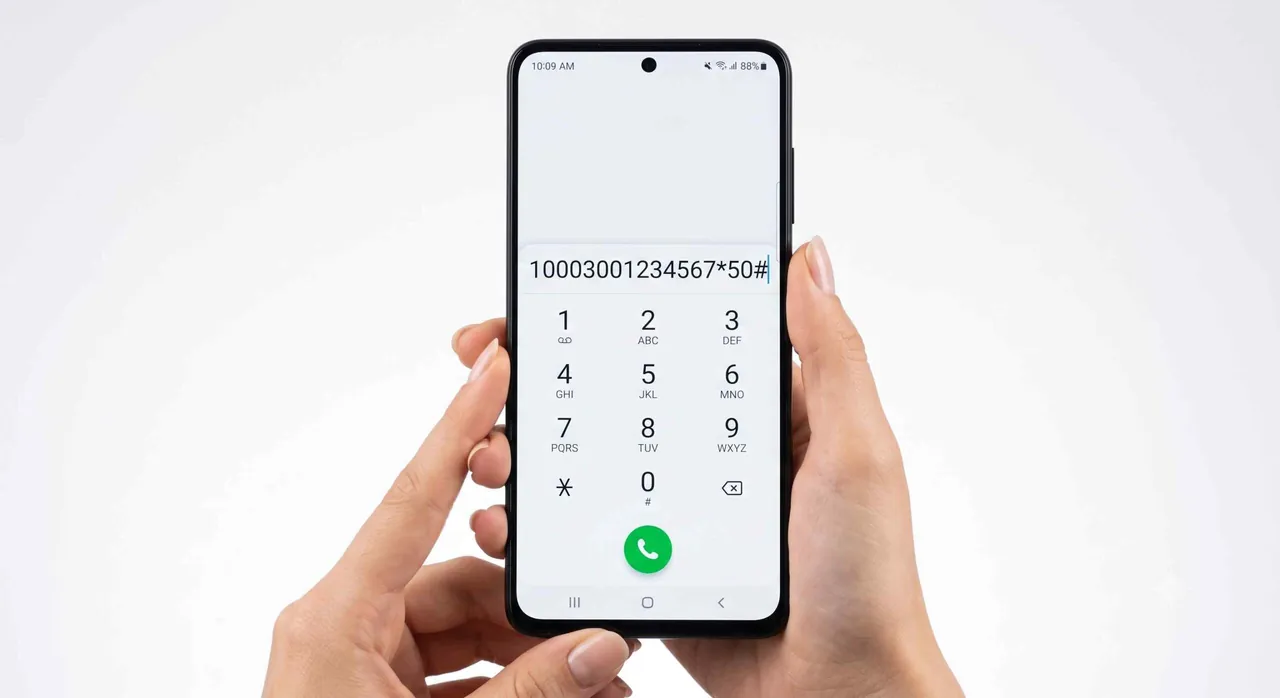
Type the following code in your dialer:
*100*ReceiverNumber*Amount#
Replace ReceiverNumber with the 11-digit Jazz/Warid number (e.g., 03001234567) and Amount with the amount in Rupees (between Rs. 15 and Rs. 500).
Example: To send Rs. 50 to 03001234567, dial:
*100*03001234567*50#
Press the Call button.
Step 3: Confirm the Transfer
After dialing, a USSD confirmation message will appear on your screen showing the receiver’s number, amount, and service charges. Reply with 1 to confirm the transfer.
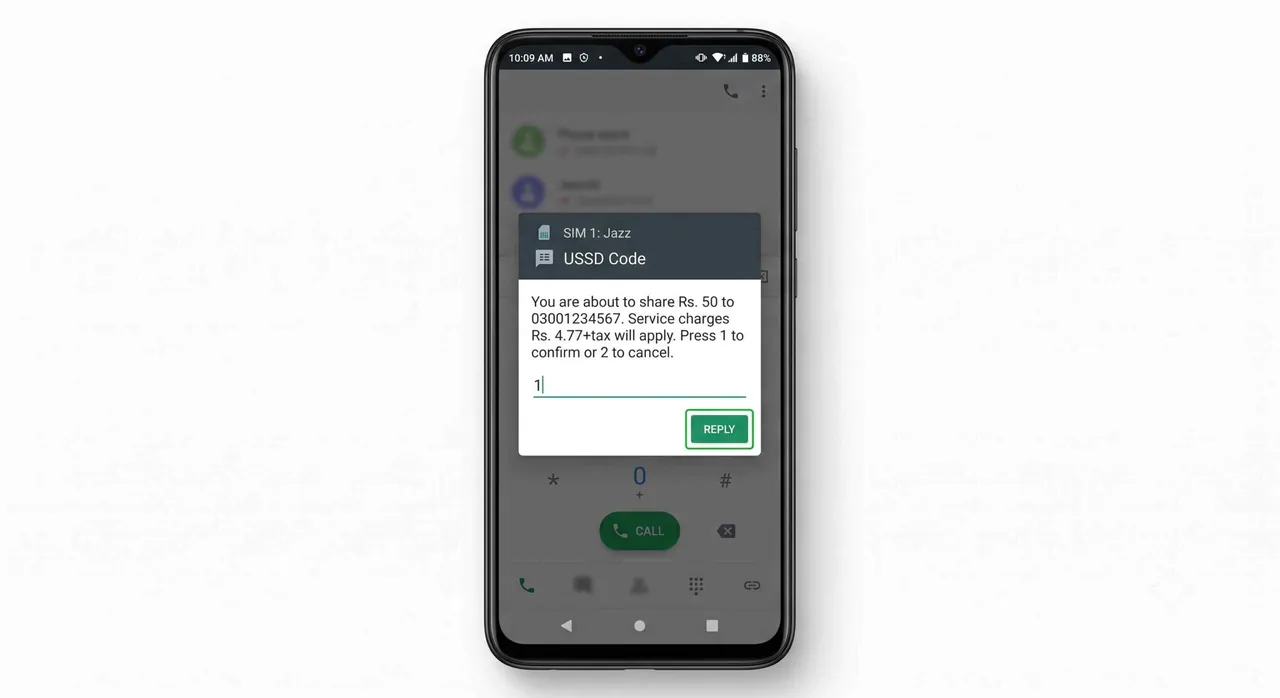
Important: Double-check the receiver’s number before confirming. Once confirmed, the transfer cannot be reversed.
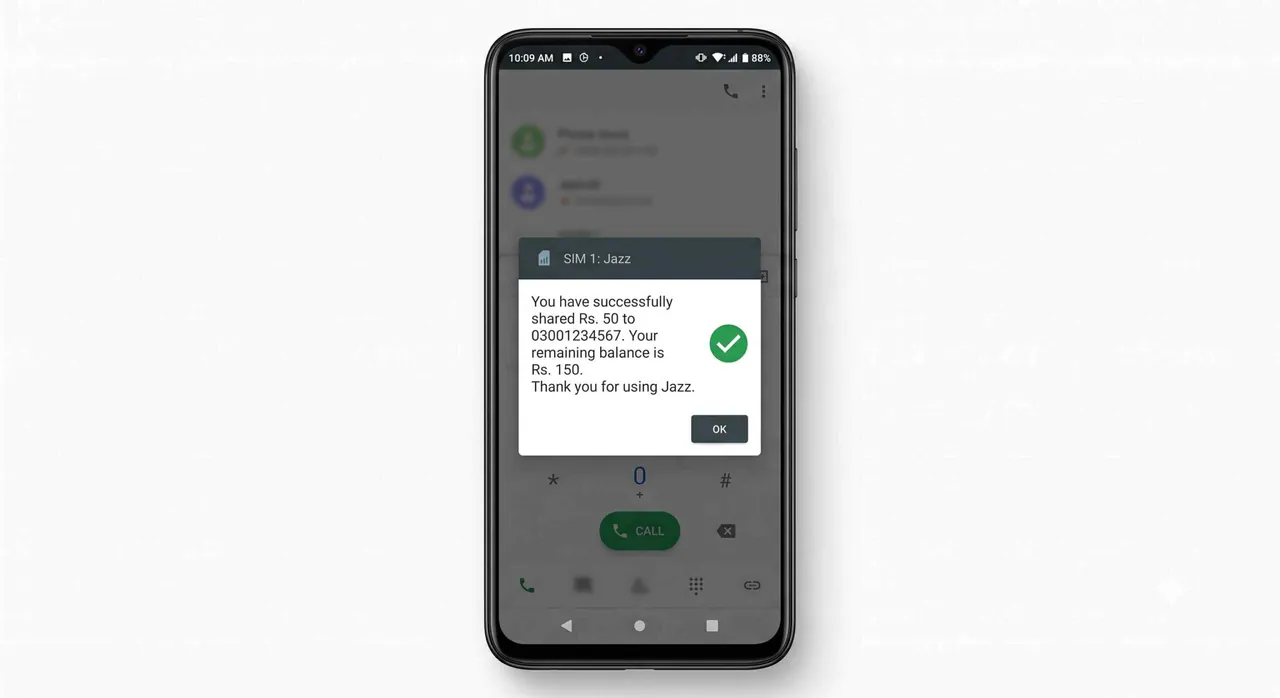
Step 4: Transfer Complete
After confirmation, you will receive a success message showing the transferred amount and your remaining balance. The receiver will also get an SMS notification with the credited amount.
Charges, Limits & Conditions
Here is a complete breakdown of the Jazz balance share service charges and conditions, as per the official Jazz website:
| Detail | Value |
|---|---|
| Minimum amount | Rs. 15 |
| Maximum amount | Rs. 500 per transaction |
| Service charges | Rs. 8.60 (incl. tax) per transaction |
| Daily receive limit | 5 times per day (receiver) |
| Who pays the fee? | Deducted from the sender |
| Eligibility | Both sender & receiver must be Jazz/Warid prepaid |
| Not allowed | Dongle, Data SIM, or postpaid numbers |
How to Transfer Jazz Balance to JazzCash
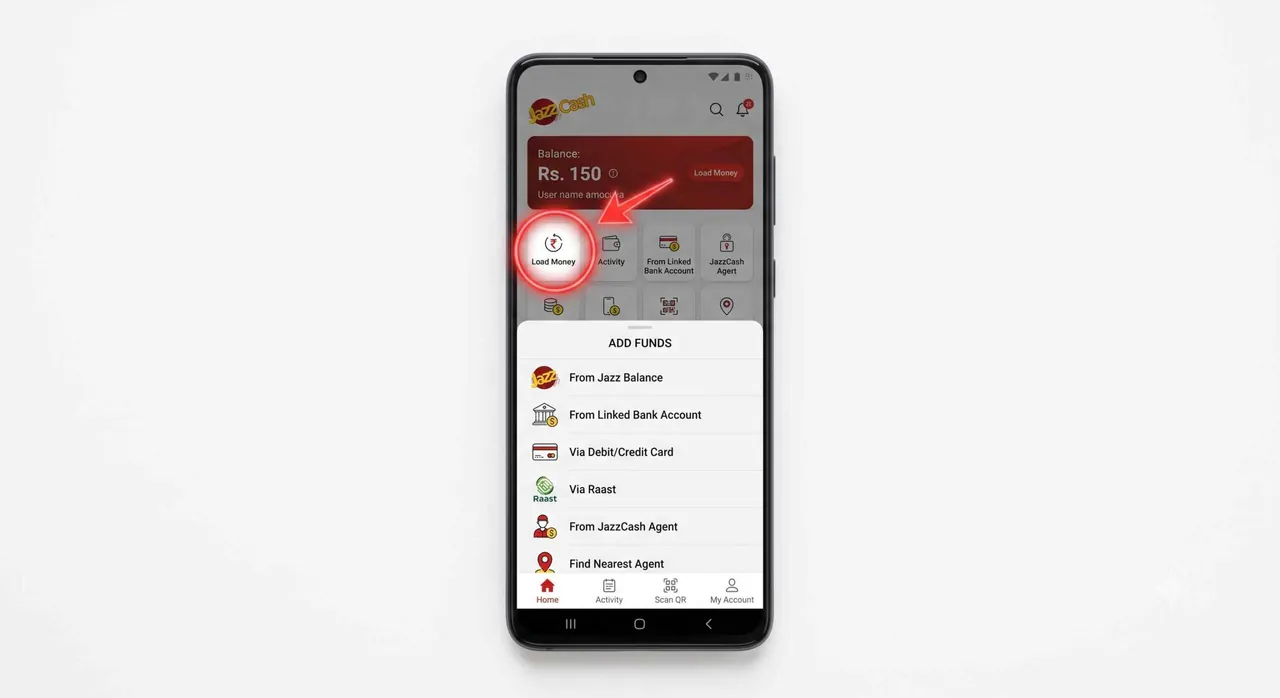
You cannot directly share Jazz mobile balance to a JazzCash account using the *100* code. However, you can load your Jazz balance into your own JazzCash account using the JazzCash app:
- Open the JazzCash app on your phone.
- Tap “Load Money” from the home screen.
- Select “From Jazz Balance” as the source.
- Enter the amount you want to transfer.
- Confirm the transaction with your MPIN.
Your Jazz number must be linked to your JazzCash account for this to work.
How to Request Balance from Someone
If you need balance but don’t have credit to make a call, you can request balance from another Jazz user for free:
- Dial
*107#from your Jazz number. - A USSD menu will appear — enter the number of the person you want to request from.
- They will receive a notification and can choose to share balance with you.
This service is completely free for the person requesting. The sender pays the standard Rs. 8.60 service charge if they accept and share.
Can You Share Jazz Balance to Ufone, Telenor, or Zong?
No. Jazz balance share only works between Jazz and Warid prepaid numbers. You cannot transfer balance from Jazz to Ufone, Telenor, or Zong directly.
If you need to send credit to someone on another network, your alternatives are:
- JazzCash / EasyPaisa: Transfer money via mobile wallet, and the receiver can recharge their own number.
- Online recharge: Use websites or apps that let you recharge any network’s number using your bank card or mobile wallet.
- Retail shop: Visit a nearby mobile shop and recharge the other network’s number directly.
Meanwhile you can also check how many number of SIMs are there on your CNIC.
Common Issues & Troubleshooting
| Problem | Solution |
|---|---|
| “Your request could not be processed” | Check that you have enough balance (amount + Rs. 8.60 charge) |
| “Invalid number” error | Make sure the receiver is a Jazz/Warid prepaid number (11 digits starting with 03) |
| Transfer not going through | Receiver may have reached the 5-transaction daily limit |
| Code not working | Ensure you are on a prepaid SIM, not postpaid or data-only SIM |
| Balance deducted but not received | Wait a few minutes. If not resolved, call Jazz helpline at 111 |
Frequently Asked Questions (FAQs)
What is the Jazz balance share code?
The Jazz balance share code is *100*ReceiverNumber*Amount#. For example, to send Rs. 50 to 03001234567, dial *100*03001234567*50#.
How much does Jazz charge for balance share?
Jazz charges Rs. 8.60 (including tax) per balance share transaction. This fee is deducted from the sender’s balance.
What is the minimum and maximum amount I can share?
You can share a minimum of Rs. 15 and a maximum of Rs. 500 per transaction.
Can I share balance from Jazz to Ufone or Telenor?
No. Jazz balance share only works between Jazz and Warid prepaid numbers. Cross-network balance transfer is not supported.
Can I reverse a Jazz balance transfer?
No. Once you confirm the transfer by pressing 1, the balance is sent immediately and cannot be reversed. Always double-check the receiver’s number before confirming.
Does Jazz balance share work on postpaid?
No. Both the sender and receiver must be on Jazz or Warid prepaid connections. Postpaid, dongle, and data SIM users cannot use this service.
How can I request balance from someone on Jazz?
Dial *107# and follow the prompts to send a balance request to any Jazz number. This service is free for the requester.
Can I check my Jazz balance before sharing?
Yes. Dial *111# to check your current Jazz prepaid balance before making a transfer.